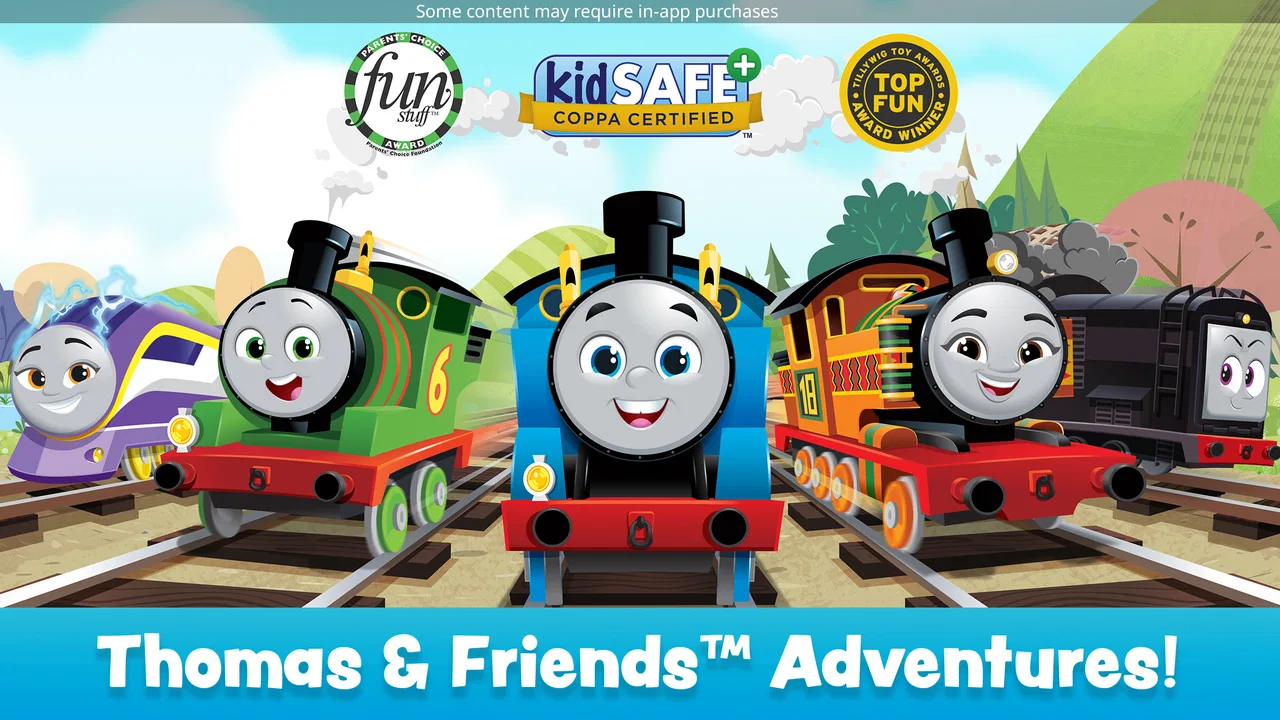
Thomas & Friends: Magic Tracks
- 4.5
- Rating
- 10.00M
- Installs
- Free
- Price

 Analysis by App-foxy
When I tried Thomas & Friends: Magic Tracks, I quickly understood its appeal: it turns a familiar train world into a simple creative play space for young children. Instead of asking a child to learn complicated controls or manage a large adventure map, it focuses on building and exploring tracks with Thomas and his friends. That makes it especially suitable for a shared family tablet, where an adult can help at the beginning and a child can then take over without needing constant instructions.
This is a free adventure game from Budge Studios, aimed at children from two to seven years old and rated Everyone. It is available for Android devices running at least version 5.1, and its current version is 2025.1.0. The large audience is reflected in its average rating of 4.4 from around 87 thousand ratings, with more than 10 million installs. Those figures do not automatically make a game perfect, but they do suggest that this particular Thomas experience has found a dependable place in many families’ app collections.
How Magic Tracks works in a shared household
In a shared household, I’d treat Magic Tracks as a one-screen activity that works best when everyone knows the turn-taking plan before play begins. Giving one child the role of choosing what happens while another watches and narrates can keep siblings involved without expecting the game to provide a separate cooperative mode. That routine also makes it easier to notice whether the quiet train play suits your family’s everyday rhythm.
You May Also Like

 Blood Strike: 2.5 Anniversary
Blood Strike’s Loadouts Turn Every Drop Into a Tactical Gamble
A close look at Blood Strike’s custom loadouts: how fast access to signature weapons reshapes its battle royale rhythm, rewards preparation, and narrows the gap between fights.

 Pandora - Music & Podcasts
Pandora’s Music Is Easy to Start, but Harder to Recover
Pandora’s strength is its low-effort path from a seed to a station. Its weak spot is how much confidence it asks you to place in connection, setup, and quiet recovery.

 8 Ball Pool
 Is Built on Rivalries, Rematches, and Routine
A close look at the rivalries, rematches, shared routines, and unanswered safety questions that turn a quick pool match into a persistent mobile community.

 Samsung Music
’s Quiet Strength Is Playing What You Already Own
Its reach comes less from spectacle than from dependable access to a personal library. That simplicity is both the app’s strongest retention engine and its ceiling.

 AccuWeather: Weather Radar
AccuWeather Review: A Quick, Clear Forecast for Everyday Decisions
For everyday plans, the best forecast is the one you can understand quickly. AccuWeather makes rain timing, radar, and local conditions easy to act on, with a few trade-offs.

 Hill Climb Racing
Why Hill Climb Racing Still Turns Crashes Into One More Run
A tiny car, a bumpy hill and one more upgrade: Hill Climb Racing keeps resurfacing because its simple chaos makes every near-miss feel personal.
More From Our News Desk



A calm first activity for a young player
The best way to approach the game is as an open-ended train activity rather than a traditional adventure with a demanding plot. A child can interact with the railway world, guide the action and enjoy the characters without having to read long instructions. For a preschooler, that distinction matters. The game feels more like digital play with trains than a test of memory, speed or problem-solving under pressure.
I can easily imagine using it during a short wait at a restaurant, while travelling, or during a quiet period at home when a child wants something familiar. A practical routine is to let the child choose the first activity, spend a few minutes experimenting, and then invite them to explain what they built or where the train is going. That turns screen time into a small conversation rather than an isolated distraction.
The game also works well when siblings or a parent take turns. One child can decide the route, another can watch the train, and an adult can ask simple questions about the journey. It is not a deep multiplayer experience, so I would not install it expecting two children to compete or collaborate simultaneously through separate profiles. Its strength is shared attention around one screen.
Why the controls suit very young children
Young players often lose interest when an app combines tiny buttons, complex menus and strict timing. Magic Tracks is more approachable because its central idea is immediately understandable: trains move along tracks, and the child interacts with that railway world. The Thomas & Friends setting provides recognition, but the play does not depend entirely on knowing every character or following a complicated story.
In my experience, the useful advantage here is not simply that the controls are easy. It is that an adult can observe the child’s choices without taking over. If the child makes an unexpected route or repeats the same action, there is room to let that happen. That is better for confidence than correcting every movement and turning the game into a lesson.
There is a trade-off, though. Children who already want missions, puzzles or a stronger sense of progress may find the experience limited after the novelty of the trains wears off. Older children near the upper end of the intended age range may prefer a game with more challenge. I would choose this for relaxed exploration, not for a child asking for a demanding adventure with increasingly difficult stages.
Setting boundaries before handing over the device
Because the game is free to download but includes optional purchases ranging from $0.99 to $24.99 per item, I would prepare the device before giving it to a child. The important household rule is simple: the child should not be the person deciding whether a purchase is made. An adult should handle any payment decision and explain that tapping an interesting item does not mean it automatically belongs in the family’s shopping basket.
This is also a good reason to use the game in a shared-device routine rather than treating it as an unsupervised substitute for childcare. The age rating of Everyone is reassuring for general suitability, but an age rating does not tell you when a child has had enough screen time or whether the device is being used at the right moment. I would still decide the session length, keep the device within reach, and check what the child is doing during the first few sessions.
Another useful boundary is to separate play from device administration. I would install and update the game myself, check the available storage, and make sure the tablet is ready before a journey or appointment. That avoids handing a child a device that suddenly asks for an update or requires an adult to search through settings while everyone is waiting.
Making turn-taking work without frustration
On a family tablet, the biggest practical problem may not be the game itself but deciding whose turn it is. Since this is designed around one young player’s interaction with the train world, I would set a clear sequence before opening it. For example, one child can choose the route, then another can take the next turn. A parent can act as the person who keeps the order, rather than allowing the most confident child to control the entire session.
A helpful trick is to give each child a different responsibility. One can choose what happens next, while the other watches for a character or describes the train’s journey. This keeps the waiting child involved without pretending that the app offers a separate cooperative mode. It also makes the experience more social and reduces the pressure to hand over the device every few seconds.
For a single child, the same idea can support independent play. I would encourage the child to narrate the journey aloud or draw a simple track afterward. These activities are not built-in features that I would attribute to the game; they are ways a parent can extend a short digital session into imaginative play away from the screen.
Age fit, trust and adult involvement
The stated audience of ages two to seven is broad, and children within that range can have very different abilities. A two-year-old may need an adult nearby to explain what can be touched and to prevent accidental exits. A confident six- or seven-year-old may understand the basic interaction immediately but may also ask for more variety than the game provides. I would judge the fit by the child’s patience and coordination, not just by their birthday.
For the youngest player, the first session should be treated as a guided introduction. I would demonstrate one action, let the child repeat it, and avoid giving too many instructions at once. If the child becomes frustrated, the problem may be hand control or unfamiliarity with the device rather than a failure of the game. A larger tablet can be easier for shared viewing, while a smaller phone may be convenient but less comfortable for two people watching together.
Trust also means being honest about what this game can and cannot provide. It is a child-friendly train activity, not a complete educational curriculum, a digital babysitter or a replacement for physical play. Parents looking for reading practice, structured mathematics or a carefully staged learning program should choose an app built specifically for that purpose. Magic Tracks is more valuable as imaginative entertainment with a familiar theme.
What the developer and the wider audience tell me
Budge Studios has positioned this as an accessible Thomas & Friends experience rather than a niche simulation for railway enthusiasts. Its free price lowers the barrier for families who want to test the style before spending money, while the optional purchases mean adults should remain responsible for the store side of the experience. The app’s 2016 release date also gives it a longer history than a brand-new children’s game, even though the current version is 2025.1.0.
The combination of a 4.4 average and over 10 million installs makes it easy to see why families continue to encounter it. I would still avoid treating popularity as a guarantee that every child will enjoy it. Some children connect strongly with Thomas and immediately understand the train setting; others may prefer animals, construction, racing or puzzle games. The theme is a major part of the appeal, so it should be a conscious choice rather than an assumption that any child will enjoy it.
Where it stands beside other children’s games
Compared with fast racing games, Magic Tracks is gentler and less dependent on reaction speed. That makes it a better choice for a child who enjoys arranging and observing rather than competing. Compared with educational apps, it offers less structured learning and more pretend play. Compared with open-world children’s games, it is easier to introduce because the central activity is narrower and the Thomas setting gives the child a clear starting point.
Those comparisons also show its limits. If your household wants one app that grows with a child for years, this may not be the strongest investment. The intended age range is deliberately young, and a child who has moved on to reading, logic challenges or more involved stories may outgrow the simple train interaction. If your priority is a quiet, recognizable activity for a preschooler, however, the simplicity becomes a benefit rather than a weakness.
I would also choose it over a more complicated alternative when the device is being shared by adults and children with different levels of patience. A parent can understand the basic activity quickly, and a young child does not need a long tutorial before trying it. The better alternative is a more structured game only when the child specifically needs goals, progression or educational outcomes that this experience is not designed to emphasize.
Small details that improve everyday use
One non-obvious advantage is that the game can serve as a transition activity. I would use it for a short, predictable period before dinner or while waiting for an appointment, then end with a clear stopping point such as finishing a train journey. That is often easier for a young child than announcing an abrupt shutdown in the middle of an exciting action.
A second useful approach is to watch how the child plays before deciding whether to buy anything. If the free experience already supports the kind of relaxed train play they want, there may be no reason to add purchases. If the child keeps asking for something specific, the adult can make that decision separately instead of allowing repeated taps to shape the household spending.
A third is to use the game as a test of device sharing. Let the child play while a parent sits nearby, then see whether the child can pass the device back calmly, follow a turn-taking rule and stop when asked. If that routine fails, adding more content will not solve the household problem. The issue is then the family’s screen agreement, not the quality of the train game.
I would also keep expectations realistic during travel. A free app can be useful for a waiting room, but I would not rely on it as the only entertainment for a long journey. Young children can tire of repeating the same style of interaction, and a backup such as a book, toy train or drawing materials gives the child a way to change activities without demanding another download or purchase.
Who should install it, and who should skip it
I recommend it to families with a Thomas-loving preschooler who wants direct, low-pressure train play. It is particularly suitable when an adult wants to introduce a child to a game on a shared tablet without starting with complicated rules. The free entry point makes it practical to try, and the Everyone rating matches its broad family positioning.
I would be more cautious for households with an older child who quickly asks, “What do I do next?” If that question means they want missions, strategy or measurable progress, another adventure game may hold their attention better. I would also skip it if you are specifically looking for multiplayer competition, detailed railway management or a formal learning tool. Those are different needs, and choosing this app for them would lead to disappointment.
Parents should also consider the payment setup before installation. The optional items are not a reason to reject the game, but they are a reason to keep purchasing decisions with an adult. In a shared-device household, that simple division of responsibility makes the experience much less stressful: the child plays, while the parent manages downloads, updates and spending.
My household verdict
After using it as a family-friendly train activity, I see Thomas & Friends: Magic Tracks as a focused choice rather than an all-purpose children’s game. Its strongest quality is the low barrier between opening the app and beginning to play. A young child can enjoy the familiar characters, while an adult can sit beside them, guide the first steps and turn the session into a shared conversation.
The drawbacks are equally clear. The simple format may not satisfy children who need increasing difficulty, and the optional purchases require sensible adult boundaries. It also should not be confused with a learning app or a fully cooperative game. Those limitations do not undermine its purpose; they define it.
For a household that wants a free, gentle adventure game for a young Thomas fan, I think it is worth trying. I would install it before a quiet afternoon, establish the spending and turn-taking rules, and see whether the child enjoys creating and following train journeys. If they do, it can earn a regular place in the family’s short-play rotation. If they want more challenge or more structured goals, I would move on without feeling that the app had failed—it simply would not be the right next track for that child.
FAQs for Thomas & Friends: Magic Tracks
01What is the main objective of Thomas & Friends: Magic Tracks?
Thomas & Friends: Magic Tracks is designed to provide a fun and interactive experience for children. The main objective is to help Thomas and his friends build and explore various railway tracks, complete missions, and participate in engaging mini-games. This app emphasizes creativity, problem-solving, and learning through play.
02Is Thomas & Friends: Magic Tracks suitable for all ages?
The app is primarily designed for young children, particularly those aged 3 to 7. It features age-appropriate content, easy-to-use controls, and educational elements aimed at enhancing cognitive skills. Parents can rest assured that the app is safe and entertaining for younger audiences.
03Are there any in-app purchases in Thomas & Friends: Magic Tracks?
Yes, Thomas & Friends: Magic Tracks does offer in-app purchases. These purchases typically include additional characters, tracks, and special features that enhance gameplay. While the app can be enjoyed without spending extra money, these purchases can unlock extra content for a fuller experience.
04Does Thomas & Friends: Magic Tracks require an internet connection?
Thomas & Friends: Magic Tracks primarily operates offline, making it ideal for on-the-go play. However, an internet connection may be required for certain features, such as downloading updates or accessing additional content through in-app purchases. Ensure your device is connected for these functionalities.
05Is Thomas & Friends: Magic Tracks available on both Android and iOS?
Yes, Thomas & Friends: Magic Tracks is available for download on both Android and iOS platforms. Users can find the app on the Google Play Store and the Apple App Store. Ensure your device meets the compatibility requirements listed on the respective store page for a seamless installation.
Pros
- Engaging storyline for kids
- Colorful and vibrant graphics
- Simple controls for young users
- Encourages creativity and exploration
- Regular updates with new content
Cons
- Requires in-app purchases
- Occasional performance lags
- Limited free content
- Ads can be intrusive
- No offline mode available

Thomas & Friends: Magic Tracks
Gallery